

If you’ve been hearing more about user-generated content (UGC), you’re not alone. More businesses are using authentic photos and videos to build trust, showcase products and connect with customers in a way that feels natural.
But knowing you should use UGC and knowing where to start are two different things.
Whether you’re creating content yourself, working with a UGC creator or planning your first campaign, having a simple plan can save time and help you create better content.
That’s why I created my Free UGC Starter Kit for Small Businesses. It includes practical worksheets and checklists to help you organize your ideas before you start filming.
In this guide, I’ll show you how to use it to build a simple UGC strategy for your brand.
New to UGC? Start Here.
If you’re just beginning, these articles will help you build a strong foundation before diving into the workbook:
- What Is UGC? A Beginner’s Guide for Brands
- How Brands Can Use UGC Videos in Marketing
- Download the Free UGC Starter Kit and Explore My UGC Services if you’d like professional help creating content for your business.
How to Use My Free UGC Starter Kit
Creating user-generated content (UGC) can feel overwhelming when you’re just getting started.
What should you film? Which platform should you post on? How many videos do you need? What should you say?
Those are common questions, and they’re exactly why I created my Free UGC Starter Kit for Small Businesses. (The PDF is available as a free download directly above this section.)
Whether you’re creating content yourself or working with a UGC creator, this workbook gives you a simple framework for planning content before you ever press the record button.
Why I Created This Workbook
I’ve spent nearly 20 years helping businesses communicate through content. Today, that includes copywriting, SEO, digital marketing and UGC.
One thing I’ve learned is that successful marketing rarely happens by accident. The best content usually starts with a plan.
I created this workbook to help business owners organize their ideas, think through their goals and create content that feels authentic instead of rushed.
My hope is that it saves you time, helps you avoid common mistakes and gives you more confidence as you build your UGC strategy.
What’s Included
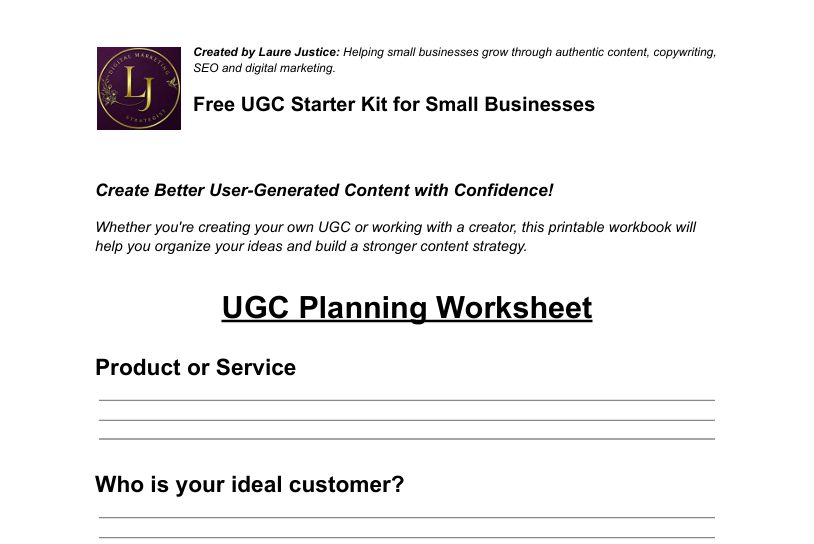
The workbook includes three practical tools you can use again and again:
- A UGC Planning Worksheet
- A 30 UGC Video Ideas Checklist
- A UGC Shot List and Publishing Checklist
Each section builds on the one before it.
Step 1: Start with the Planning Worksheet
Before you film anything, spend a few minutes thinking about your product and your audience.
Ask yourself:
- Who am I trying to reach?
- What problem does my product solve?
- What benefits matter most?
- What action do I want viewers to take?
Starting with these questions helps keep your videos focused instead of trying to say everything at once.
Step 2: Choose Your Video Ideas
Next, look through the list of 30 UGC video ideas.
Don’t feel like you have to create all of them.
Instead, pick three to five ideas that make the most sense for your business.
For example, a skincare company might choose:
- Product demo
- Before and after
- Morning routine
- Customer testimonial
- Frequently asked questions
A local bakery might choose completely different ideas, and that’s okay. The goal is to create content that fits your business and your audience.
Step 3: Use the Shot List While Filming
One of the easiest mistakes people make is forgetting to capture enough footage.
The shot list helps remind you to film:
- Close-up product shots
- Wide shots
- Lifestyle footage
- Before and after scenes
- Detail shots
- Your call to action
Having extra footage gives you more flexibility when it’s time to edit your videos.
Step 4: Review Before You Publish
Before uploading your content, go through the publishing checklist.
Take a moment to make sure:
- The lighting looks good.
- Your audio is clear.
- Your product is easy to see.
- Your message is easy to understand.
- You included a call to action.
Sometimes a quick review can make a good video even better.
Step 5: Track Where You Share Your Content
One video doesn’t have to live on just one platform.
The same content may work on your:
- Website
- TikTok
- YouTube Shorts
- Amazon product listings
- Email marketing
Repurposing your videos helps you get more value from the time you spent creating them.
A Few Tips From My Experience
If I could give one piece of advice, it would be this:
Don’t wait until everything is perfect.
Authentic videos often perform better than highly polished ones because they feel genuine and relatable, so:
- Focus on being helpful.
- Show your product solving a real problem.
- Answer questions your customers already have.
Those simple video concepts often connect with viewers better than expensive productions.
Need Help Creating UGC?
Planning your own UGC is a great way to understand the process.
But if you’d rather spend your time running your business, I’d be happy to help.
I create authentic UGC videos for brands that want to build trust, connect with customers and create content they can use across their website, social media, email marketing and advertising.
If you’re ready to get started with UGC marketing, I’d love to hear about your business.